


Table of Contents
1. Upload Budget by Cost Element and Cost Centre (KP06)
Once the company budget is finalized and approved, it must be uploaded for each cost centre and cost element. Managing a large number of cost centres can be tedious if done manually. However, there are methods to handle this on a larger scale, such as Excel uploads. If you need guidance on this process, mention it in the comments and I will be happy to share more information.
When using the standard method, inputs can be provided in two ways:
- Overview Screen: displays the available GL accounts for a single cost centre. This is only recommended when expenses are equally distributed across each month.
- Period Screen: shows the 12 periods of the year for the combination of one cost centre and one GL account.


2. Upload Quantities (KP26)
To calculate unit prices related to company processes (e.g., production rates), it is necessary to input quantities for each “production” cost centre. The unit type depends on the company’s rate base, with common options including quantities produced or machine hours. In these cases, when rates are calculated in a subsequent step, they will be expressed as $/unit or $/hour.

Important note: companies can create different activity types to group expenses of specific cost elements under a common category. For example, an activity type called “Utilities” could be created to group expenses budgeted under water, gas, and electricity cost elements. If multiple activities are used, units must be entered for each one.
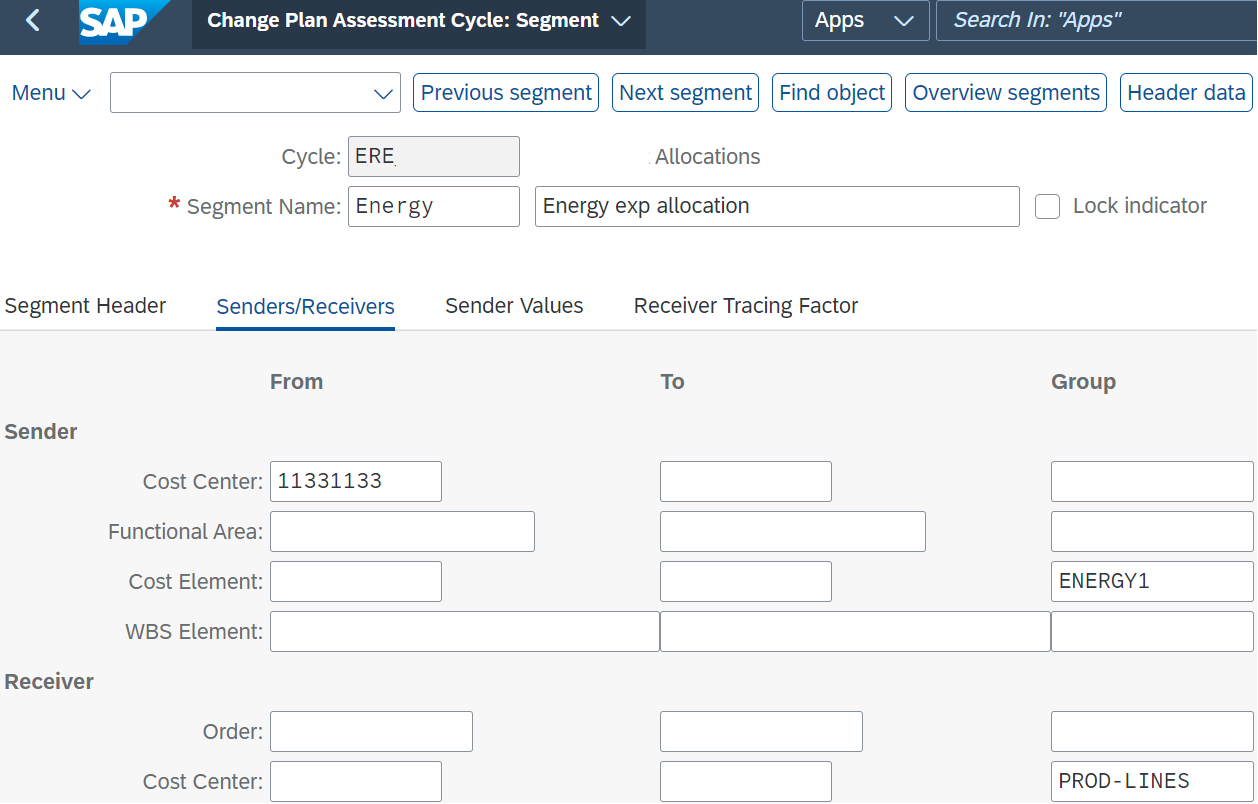
3. Create/Change Plan Assessments (KSU7/KSU8)
Organizations use various methods to allocate costs across their cost centres. In most models, a portion of the costs is allocated to non-production cost centres. For example, in an industrial setting, general expenses such as HR or accounting are allocated to these department cost centres, while quantities are recorded in production cost centres. These models require expenses to be distributed or assessed from non-production to production cost centres. This step allows the setup of how costs will flow through the company’s cost centres.
4. Execute Plan Assessments (KSUB)
This step involves executing the cost allocations defined in the previous step. The system will credit the sender’s cost centres and debit the receiver’s cost centres accordingly.

5. Split Costs – Cost Centers Plan (KSS4)
This technical step assigns expenses to their corresponding activity types. For example, if an activity type called “Utilities” is defined to group expenses allocated to the GL accounts for electricity, gas, and water, the splitting process will group these costs internally within SAP.

6. Run Plan Price Calculation (KSPI)
After allocating expenses and quantities in the production cost centres, the system will calculate rates by dividing the total cost by the quantity. The result will be the rate for each combination of cost centre and activity type. By aggregating these, the total rate for each cost centre can be obtained. This can be displayed in screen KSBT.
7. Manage Costing Run (CK40N)
The final step is to perform product costing. The total cost of a material, whether finished or semi-finished, will be calculated as the sum of:
- Raw material costs (directly assigned via the Bill of Materials)
- Indirect costs derived from the calculated rates. Each material must have a recipe (also known as “routing”), specifying the resources required to produce one unit and the relevant production cost centre. For example, if rates are based on machine hours ($/hour), the recipe will detail the manufacturing hours needed per unit and the production line where the process occurs. The system will then apply the rate calculated in the previous step to determine the indirect material cost.


Author’s Comment: Standard cost estimation is often a complex process, particularly in certain industries. The steps outlined above provide a high-level overview of the steps required to perform standard product costing in SAP. However, before proceeding, certain configurations and preparatory work (such as material creation) may be required in the system. Please, do not hesitate to leave a comment if you would like a more in-depth explanation of any of the points.





Great work!